


Odoo app
Payment Return Recovery
🧩 Description
This application simplifies the management of returned payments from customers and to suppliers, and is especially effective in handling direct debit or bank transfer transactions.
It includes the ability to manage the recovery of returned amounts, with the option to apply penalty fees such as return charges. The module also offers a wide range of configurable settings to ensure precise and adaptable control for each business.
Once the process is complete, all necessary accounting entries are automatically generated, significantly reducing administrative workload. The system also provides full reconciliation of all related transactions, ensuring clear, consistent, and error-free accounting management.
Developed and maintained by by Jesús Sánchez (jesanmor).
🚀 Key Features
- Seamless Integration: Integrates into Odoo's accounting module, accessible via the customer and supplier menus.
- User-Friendly Interface: Easily select the returned payment and configure return journal entry parameters.
- Flexible Configuration: Define return date, journal, payment method, and reference.
- Conciliation and Automation: Create unreconciled return entries with full traceability and automatic reconciliation.
- Recovery Management: Choose to recover the amount with or without journal entries.
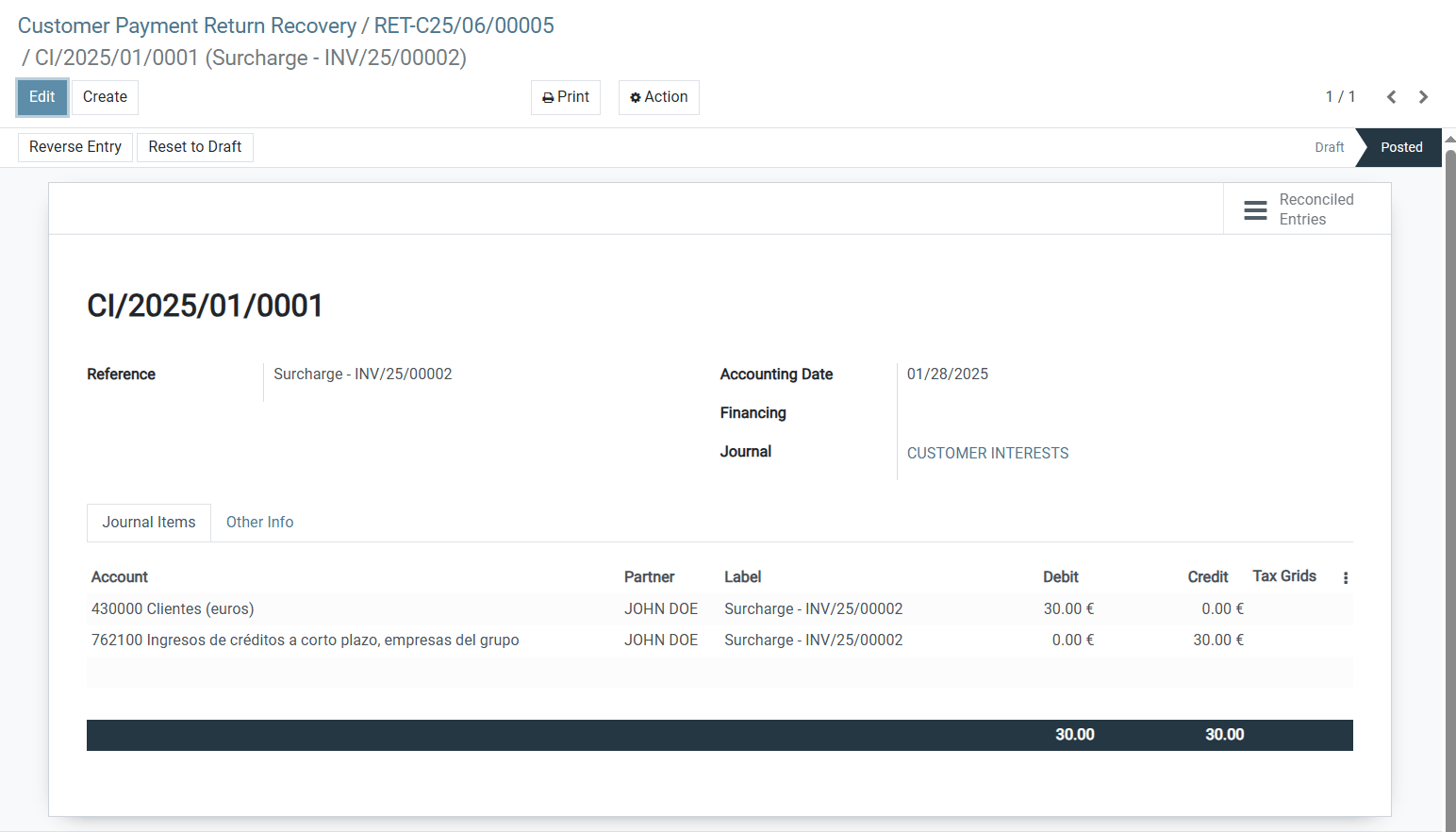
- Penalty Customization: Configure penalty amounts, journals, accounts, and references.
- Payment Entry Configuration: Automatically create and reconcile payment entries during recovery.
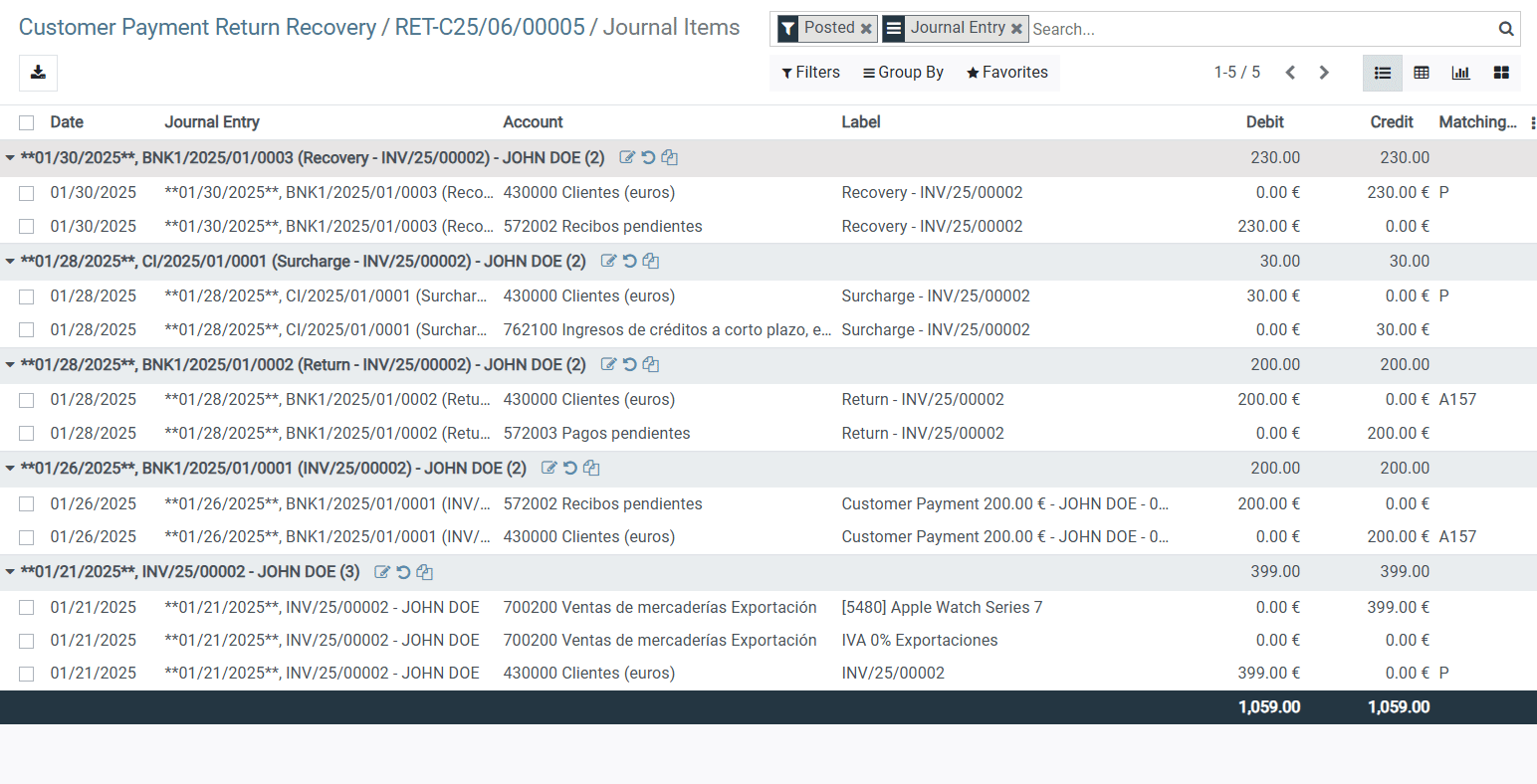
- Accessibility: View all related entries (return, penalty, recovery) from the interface.
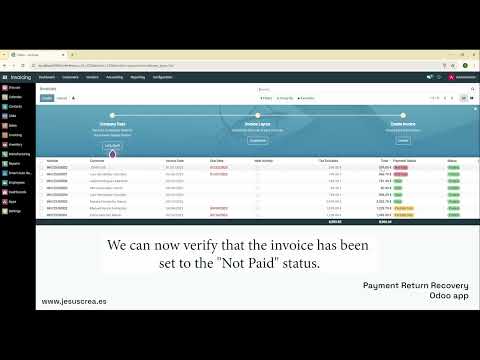
Video tutorial (Click on the image to see the video)
The following video demonstrates how Payment Return Recovery allows you to quickly and easily register a returned customer payment. It also showcases the complete process to recover the returned amount, including the optional application of a penalty surcharge.
📚 Usage Screenshots
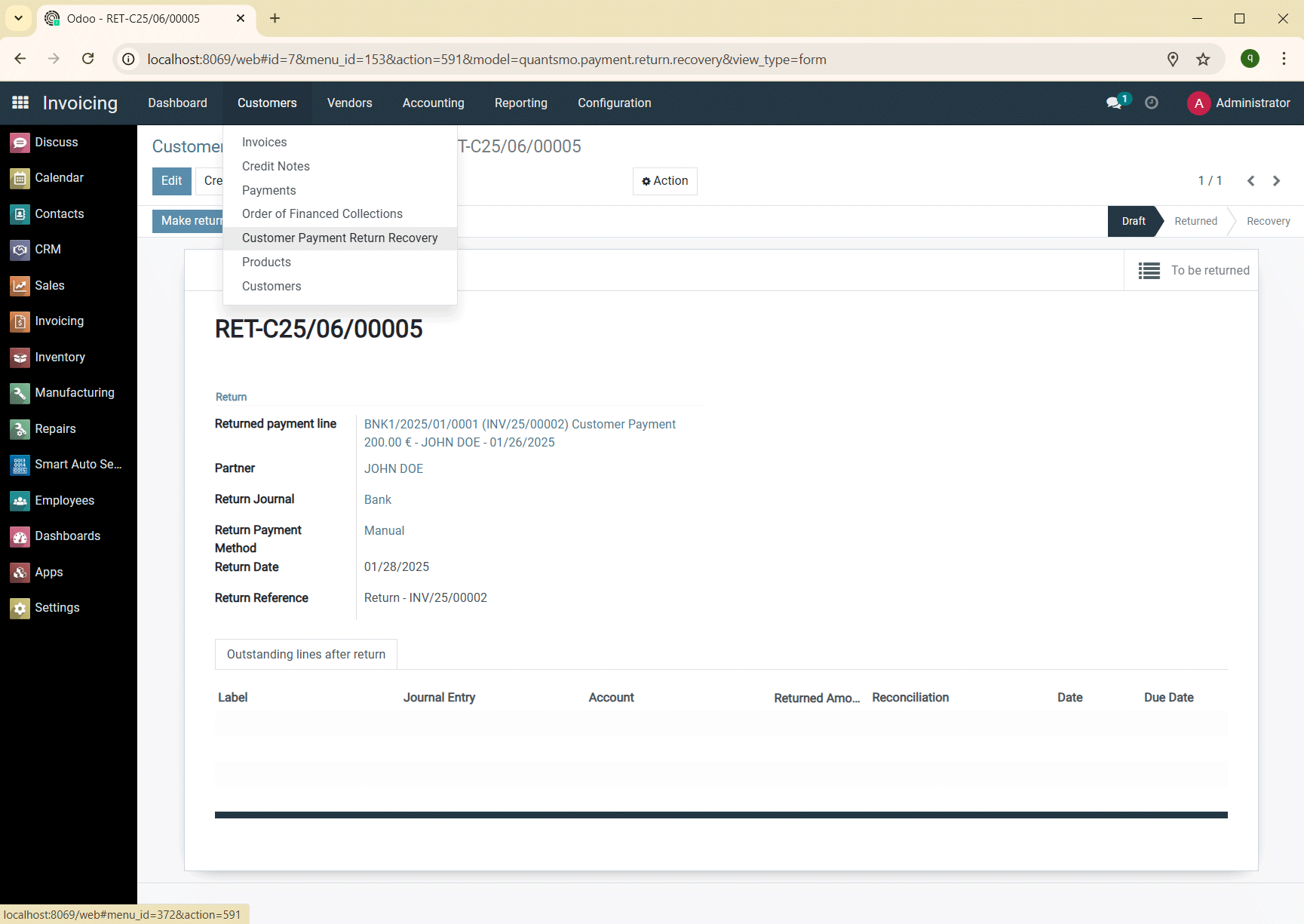
Access the application through Billing in the customer or supplier menu. Customer Return example:
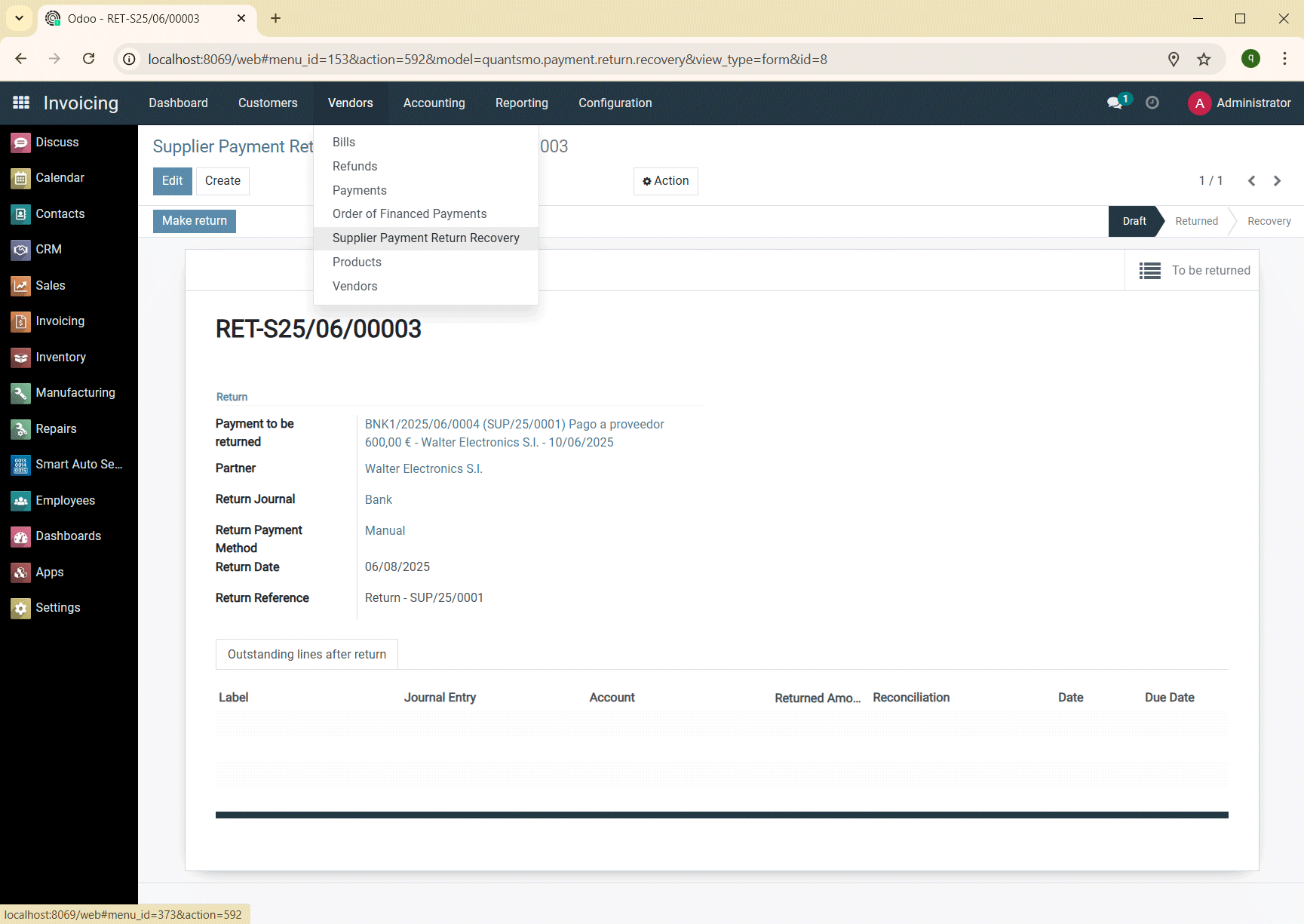
Access the application through Billing in the customer or supplier menu. Return to Supplier example:
Once the return has been made, you can configure its recovery:
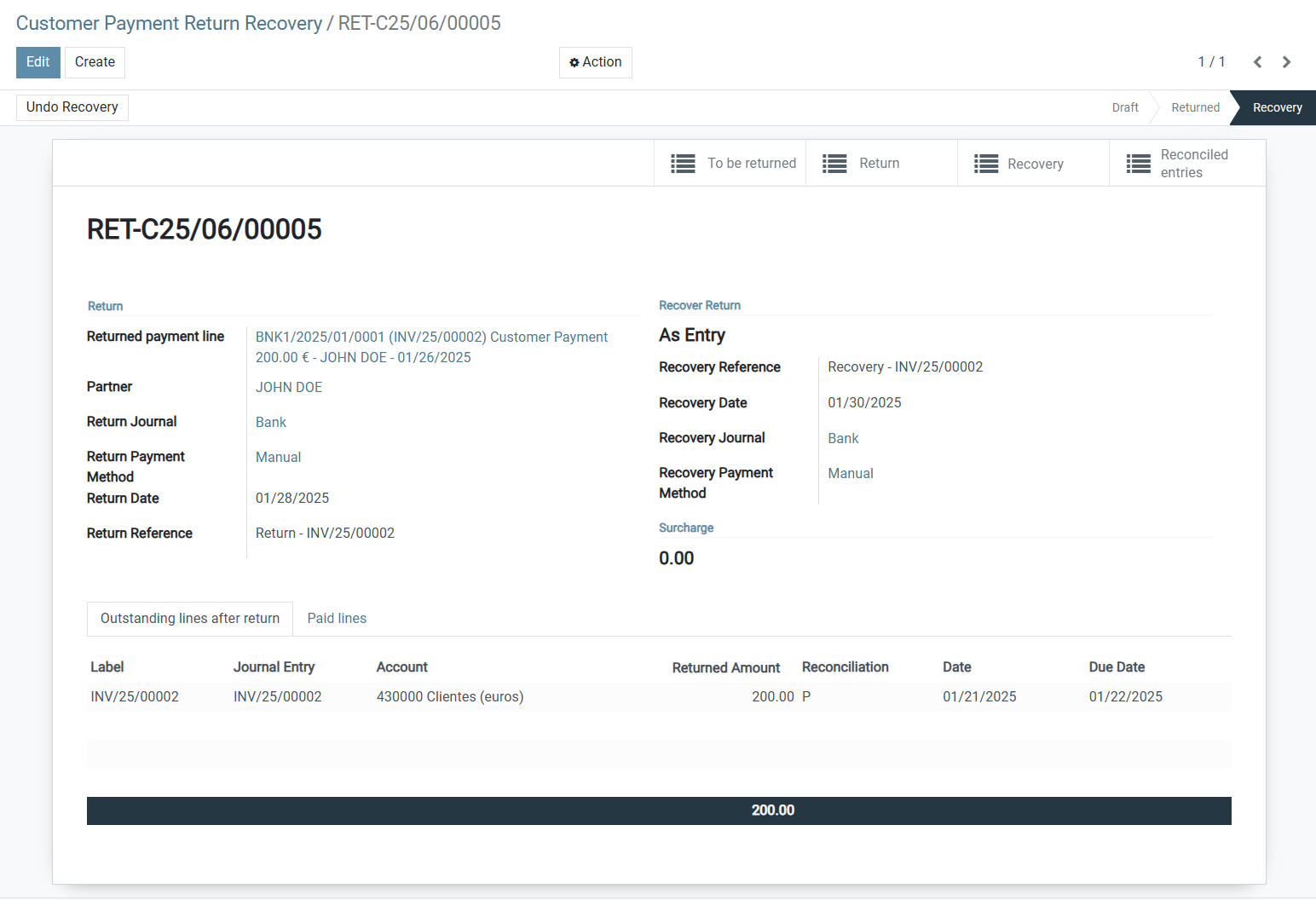
You can add a surcharge as a penalty for the return:
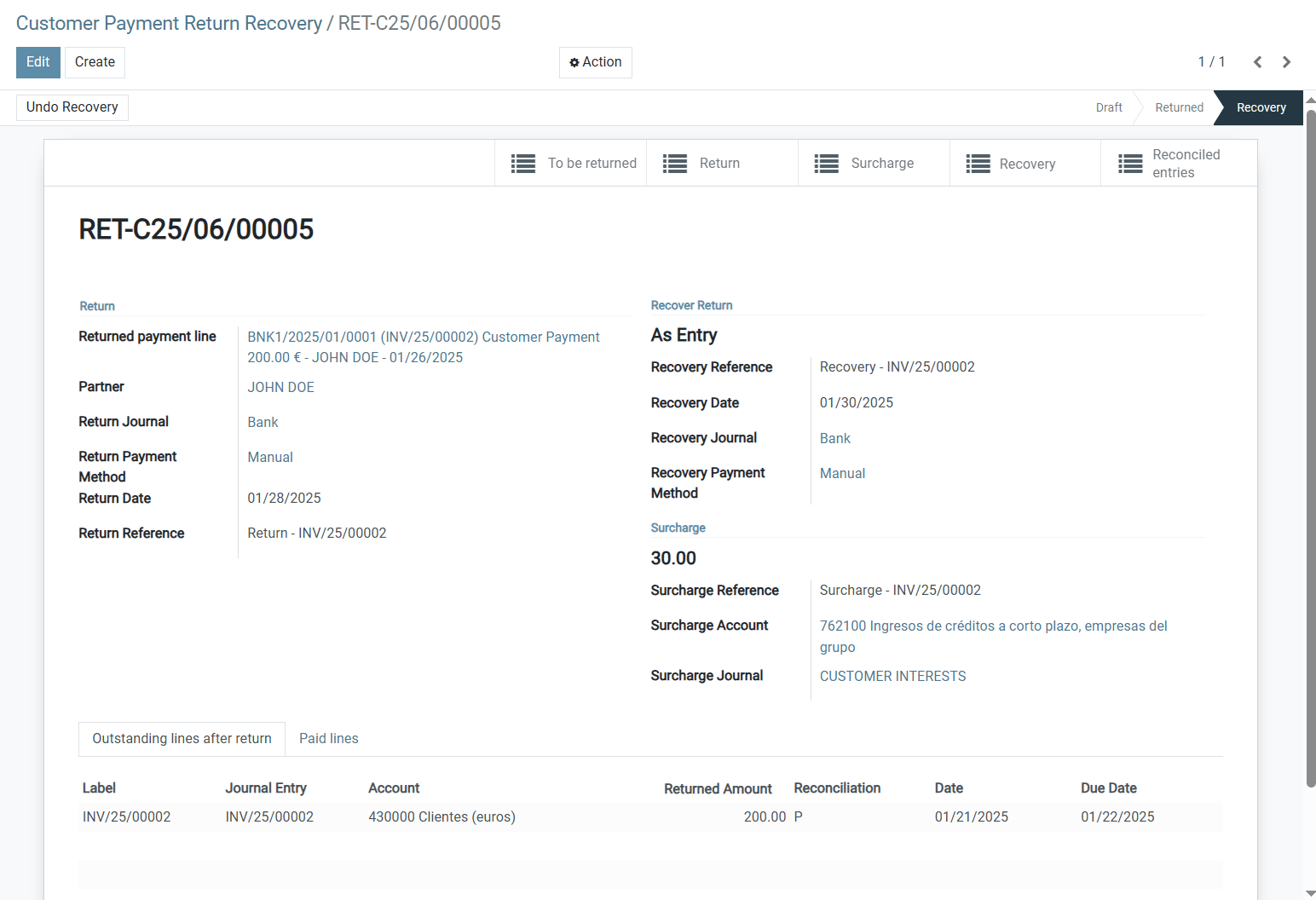
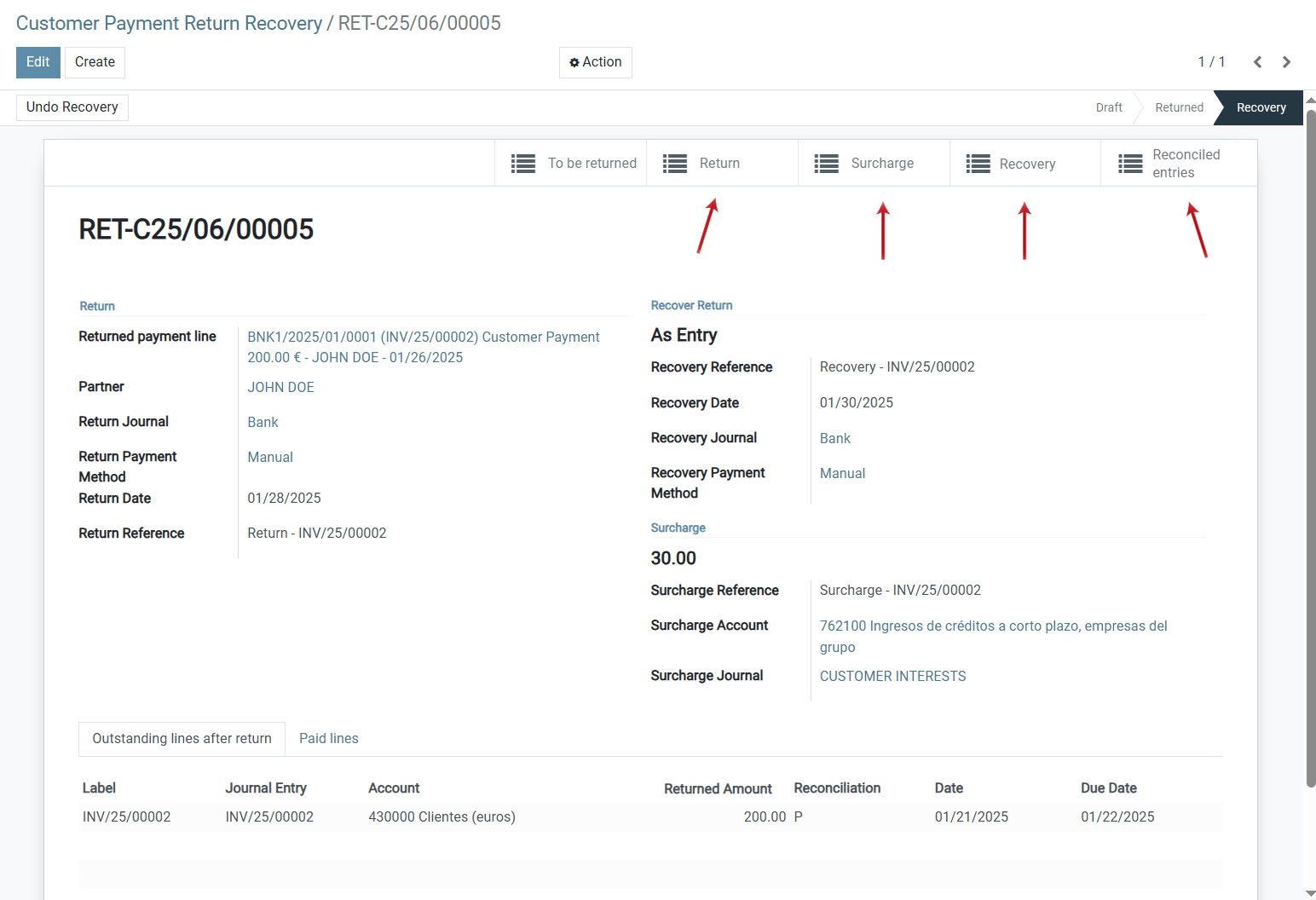
Access all accounting entries involved in the return, surcharge, recovery and reconciliations:
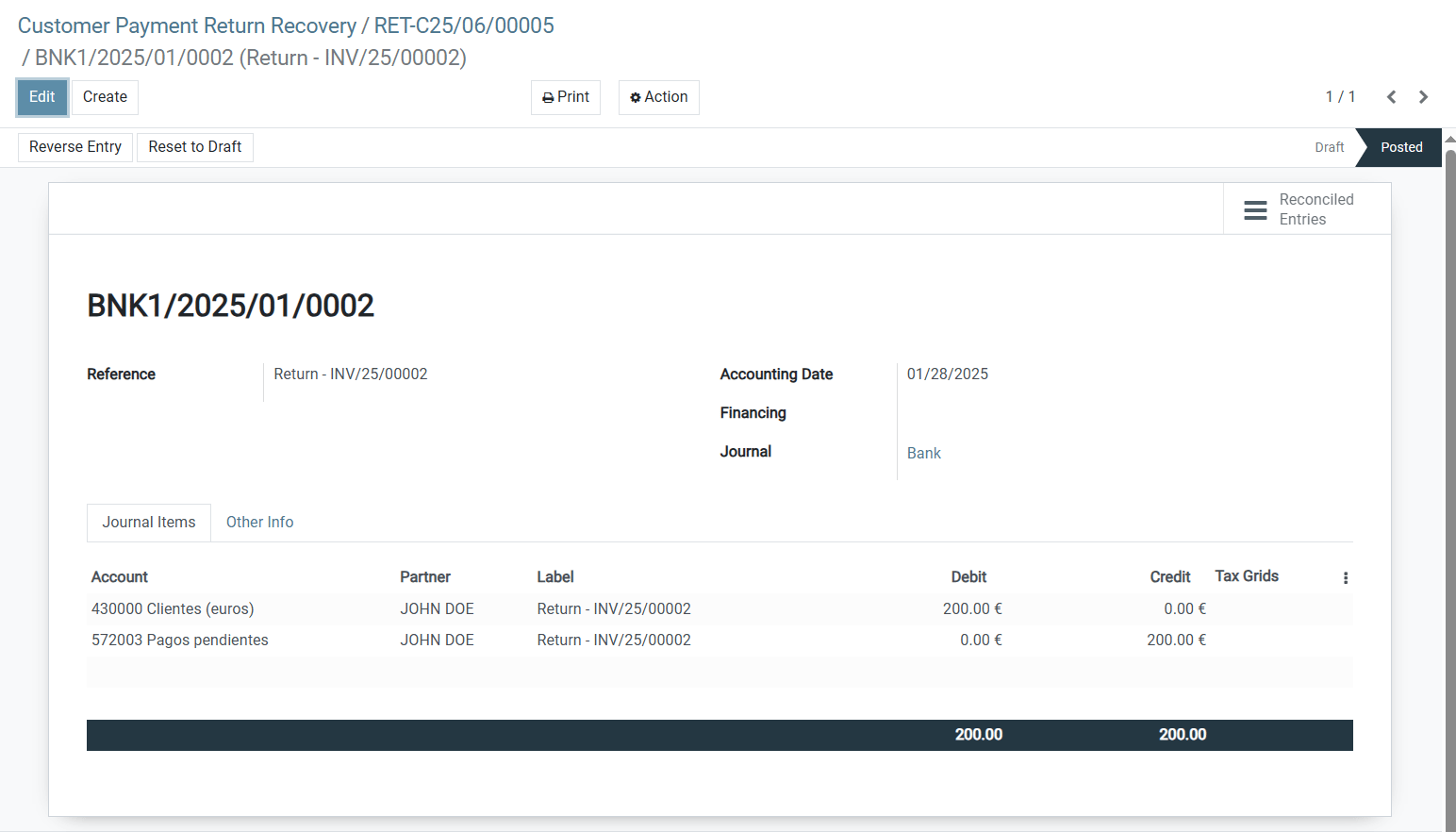
Return entry:
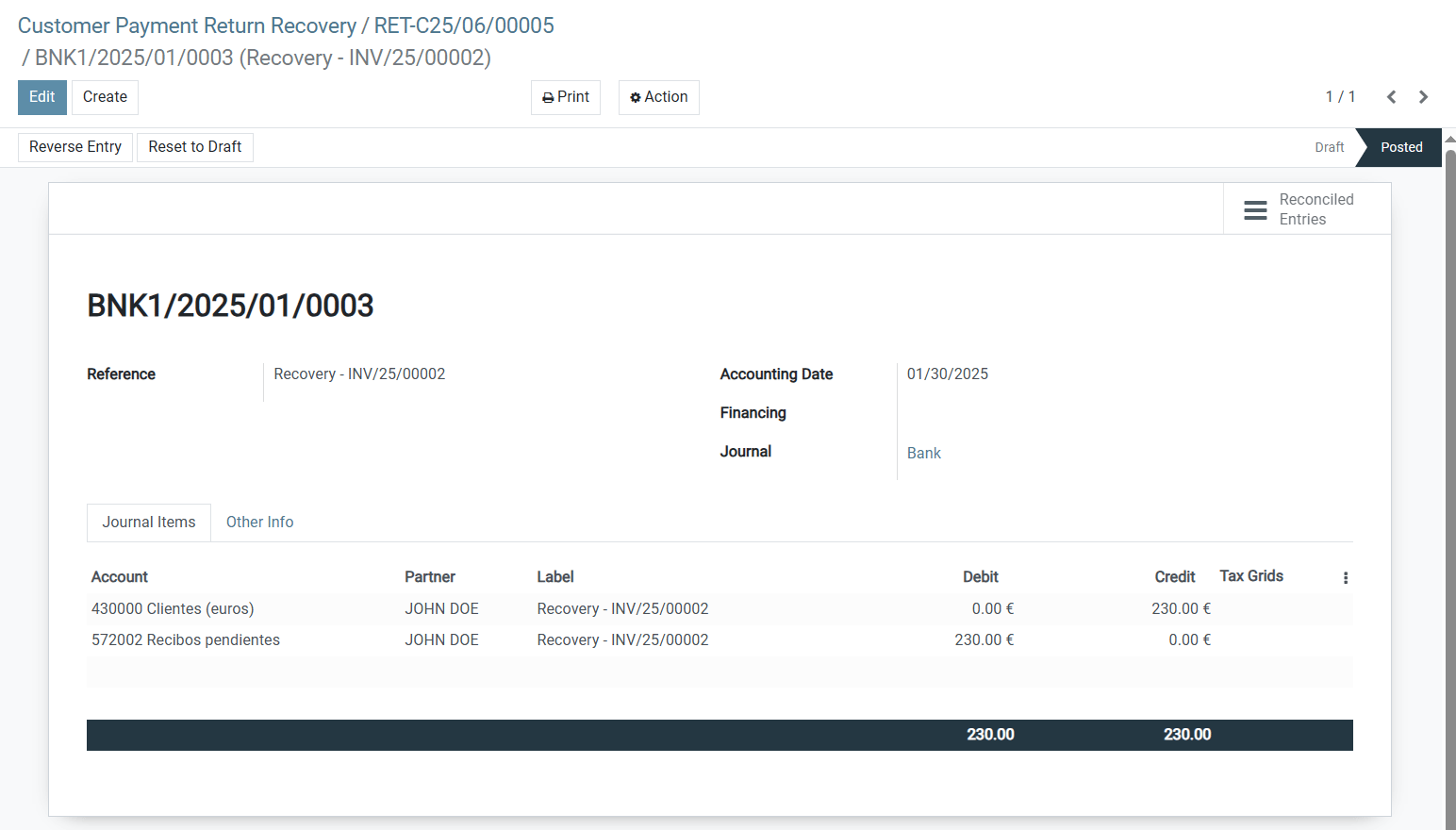
Recovery entry:
Surcharge entry:
Reconciled entries:
⚙️ Installation
- Unzip the module into your Odoo
addonsdirectory. - Restart the Odoo server.
- Activate developer mode.
- Install the module from the Apps menu.
📦 Supported Odoo Versions
- Odoo 15.0
- Odoo 16.0
- Odoo 17.0
- Odoo 18.0
📄 License
This module is licensed under the Odoo Propietary License v1.0 (OPL-1).
⚠️ Legal Notice on Images and Content
Reproduction in whole or in part is strictly prohibited..
The images, screenshots, and application examples displayed on this website are custom developments for clients and are protected by copyright. Unauthorized reproduction, distribution, or use is strictly forbidden without the express written consent of the owner.
👤 Author
Jesús Sánchez
GitHub: jesanmor
📝 Disclaimer
This module is provided as is, without warranty of any kind. Use at your own risk.